
Disney Plus has become one of the most popular streaming platforms for movies and TV shows, offering a wide range of Marvel, Pixar, Star Wars, and Disney classics. But if you’re looking for the ultimate viewing experience in 4K Ultra HD, you might be wondering how it works, what devices are compatible, and what requirements you need to meet to stream in the highest quality possible.
Luckily in this guide, we will discuss whether Disney Plus supports 4K, how to find and paly 4k content, a powerful video downloader to save Disney Plus videos in 4K for offline viewing.
Does Disney Plus Support 4K?
Yes, Disney Plus does support 4K Ultra HD streaming. Many of its titles, including popular series and blockbuster films, are available in4K resolution with HDR and Dolby Vision.
However, there are a few important notes:
Not all content on Disney Plus is offered in 4K, older or lesser-known titles might only be in HD.
Depending on your country or region, the availability of 4K streaming may vary — in some regions aPremium plan is required for 4K quality.
Some devices may only support up to 1080p, even with a Premium subscription.
What You Need to Watch Disney Plus in 4K
To enjoy Disney Plus in Ultra HD, you must meet the following requirements:
1. A 4K-Capable Display: Your TV or monitor must be capable of displaying at least 3840 × 2160 resolution. Older HDTVs won’t show true 4K even if you’re technically streaming in that resolution.
2. A Strong Internet Connection: Disney Plus recommends at least25 Mbps of internet speed for smooth 4K streaming. If your connection is slower, you may experience buffering or automatically get downgraded to HD.
3. Compatible Streaming Device: You need a device that supports 4K playback — examples include:
Smart 4K TVs from Samsung, LG, Sony
Apple TV 4K
Roku 4K devices
Chromecast with Google TV (4K model)
Xbox Series X and PlayStation 5
Nvidia Shield TV Pro
Notably, Disney Plus does not currently run in 4K via web browsers on computers, and many browsers are capped at lower resolutions due to DRM limitations.
How to Find and Play 4K Content on Disney Plus-Official
Finding 4K titles on Disney Plus is straightforward:
1. Open the Disney Plus app on your device.
2. Navigate to the“Ultra HD and HDR” category if available.
3. Alternatively, check a title’s information page — if it supports 4K, HDR, or Dolby Vision, that will be clearly marked.
Most newer Disney Originals and big studio titles like Marvel films, theStar Wars series, and many animated classics are available in 4K.
Bonus: How to Watch Disney Plus in 4K Offline
Official Disney Plus only lets you download videos in lower resolutions for offline viewing, and there’s no built-in support for saving in true 4K.
If you want to download Disney Plus movies or shows in native 4K and watch them anytime, even on devices that don’t support the Disney Plus app — a third-party solution like Keeprix Video Downloader can help. This tool lets you:
Save Disney Plus content in 4K Ultra HD
Keep videos permanently on your device
Play them on any media player or device without limits
This is especially useful if you travel frequently or want to watch high-quality content without a network connection.
Steps to Use Keeprix Video Downloader to Watch Disney+ in 4K:
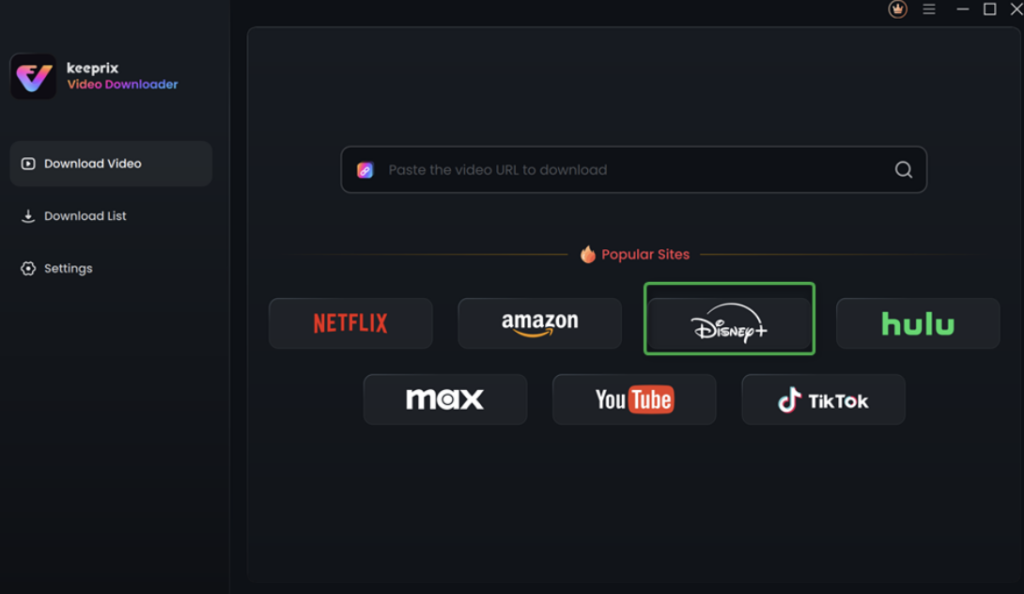
Step 1. Download Keeprix Video Downloader on your computer. Launch it and select the Disney+ platform.
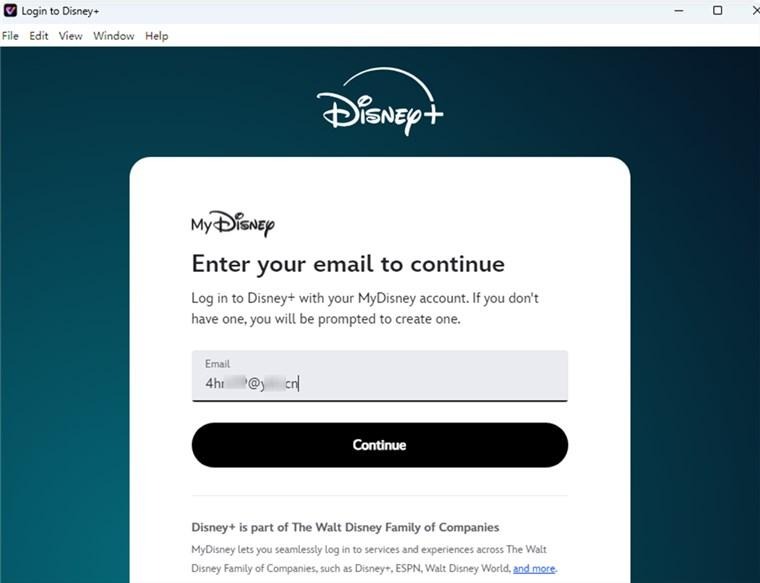
Step 2. Click on the LOG IN button. Enter your Disney+ account details.
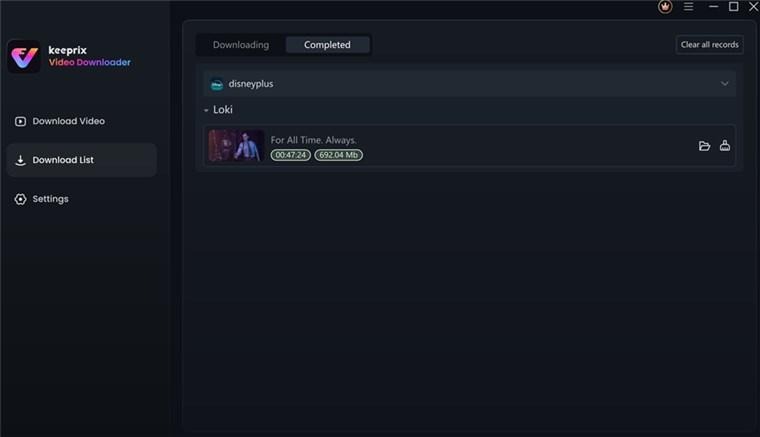
Step 3. Search for the movie or show you want to download. Tap the download icon on the right.
Step 4. Adjust the resolution to 4K. Then click Download. Once downloaded, you can watch Disney Plus in 4K offline without restrictions.
Can You Watch Disney Plus on Nintendo Switch?
A common question among gamers is: can you watch Disney Plus on Nintendo Switch? At the moment, Disney Plus is not officially supported on the Nintendo Switch. While there have been hints that Disney might explore adding more platforms in the future, there’s no official Disney Plus app for Nintendo Switch yet and no confirmed release date.
If playing Disney Plus on Switch is important to you, keep an eye out for updates — streaming services occasionally expand their supported devices. But for now, Switch owners typically need to use other devices like a smartphone, tablet, smart TV, or streaming box to watch Disney Plus content in 4K.
Conclusion
Streaming Disney Plus in 4K is absolutely possible with the right setup: a compatible 4K display, strong internet, and supported hardware. From smart TVs to the latest consoles, you can enjoy stunning Ultra HD content from Disney, Marvel, Pixar, and more.
Keep in mind that some devices, including the Nintendo Switch currently do not support Disney Plus, and not all titles will have 4K versions. But by following the tips above and optimizing your settings, you can unlock the best visual experience Disney Plus has to offer.
