

Spring is more than just one of the four beautiful seasons of the year. It is also commonly known as the time for renewal, and what better way to refresh your creative workflow than with a powerful stacked monitor setup?
For video editors, graphic designers, and animators, a well-configured dual-monitor arrangement like the Geminos stacked monitors can boost productivity like no other and enhance the overall creative experience. But with so many monitors on the market, choosing the right ones and optimizing your setup can feel daunting.
In this guide, we’ll be diving deep into some of the best stacked monitor setups for creative professionals. But that’s not all. We’ll also be providing essential information and setup tips to help you maximize your creative potential in total. If you’re set, then get reading!
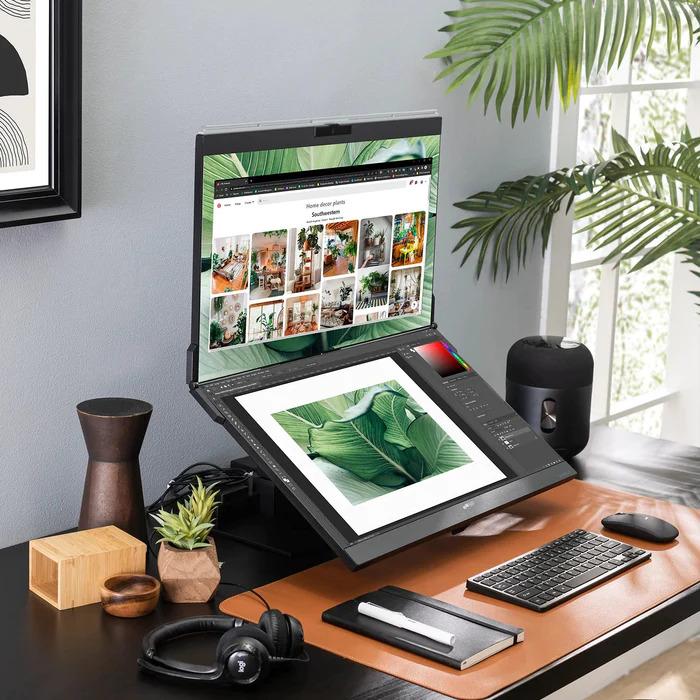
Your Handy-Guide to Choosing the Perfect Stacked Monitors
You could either look for two separate computers to stack atop each other (which is a lot of work). Or you could go the easier, and more innovative route, and get yourself a computer that already has two monitors readily-stacked for you.
If you’re among the latter group, then these are a few other things you could look into before picking the ‘perfect’ stacked computer.
Size and Resolution
It’s not only about how big or small the monitor design is. You also need to take note of the size and resolution of the screen. Whether it is the primary or secondary monitor, a larger monitor, about 27 to 32 inches is ideal for detailed video editing and animation work. This also applies to those that work with numerous data, codes, or prioritize detailing and accuracy. In addition to this, creatives should opt for a high resolution like 4K (3840 x 2160) or even 5K (5120 x 2880) for exceptional clarity and screen real estate. Nonetheless, the generally recommended resolution is about 1920 x 1080
Panel Technology
Another thing to consider is the type of display panel as it determines how the pixels on the screen light up and how the image is displayed. There are three main types of panel technologies commonly used today and they are in-plane switching (IPS), vertical alignment (VA), and twisted nematic (TN).
For the best viewing angles, choose IPS. But if you prioritize contrast ratio, then pick a monitor with VA. TN has the fastest response time and is also the most affordable. Touch screen is another feature you may want to pick.
Connectivity
The best stacked monitor is that which can connect to your other devices seamlessly. While there are multiple types of input connectivity options, look for the most versatile ones (HDMI, DisplayPort, and USB-C). Or best of all, choose the connectivity that’s compatible with your preferred devices.
Ergonomics
If you’re choosing the Geminos monitor, you don’t need to worry much about this, because the setup already comes in the recommended ergonomics. However, for other brands, you may want to ensure that the monitor is adjustable and allows for tilting, swivelling, and height adjustments. These settings are especially crucial for stacked setups because it reduces the risk of back, neck, and eye strain.
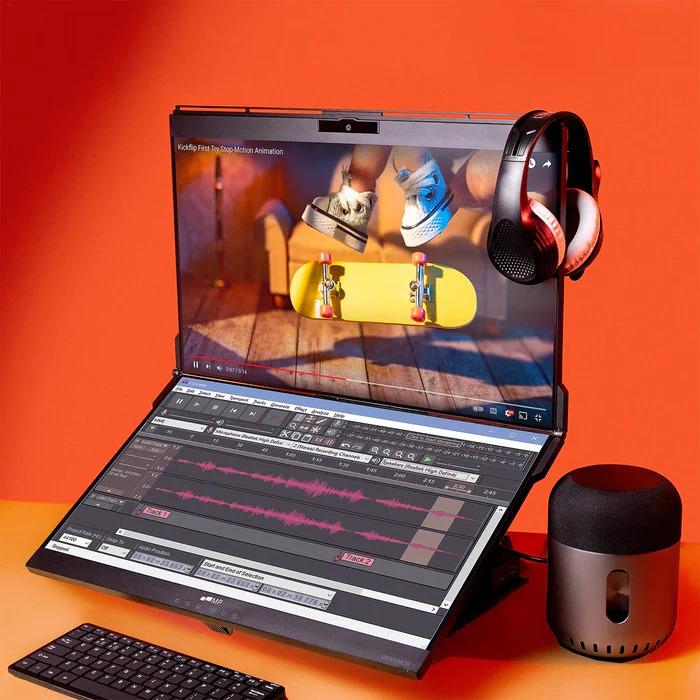
Design
It’s not perfect until the monitor matches your aesthetic! Remember that monitors come in a variety of styles — from sleek and minimalist to modern and curved. Therefore before you settle on a choice, check for the monitors that complement your workspace and personal taste.
Price
Finally, and at the end of the list of your budget. Monitors range in price depending on size, resolution, panel technology, and the additional features we talked about (touch screen). Before you go shopping, first determine how much you’re comfortable spending. Also, prioritize the features that are most important to you to help guide your shopping even better.
But there’s great news for you.
Spring Upgrade with a Promo!
You don’t need to settle for less even if you’re a little tight on funds because this season, you can take full advantage of the exclusive APR Spring Sale, starting April 26th all the way to 30th. During the sale, you have the chance to pick any monitor of your liking and you can save 15% off (no code needed)!
So, hurry and make your list so that you dopn;’t miss this incredible opportunity to secure your dream spring computer! Happy shopping.
